
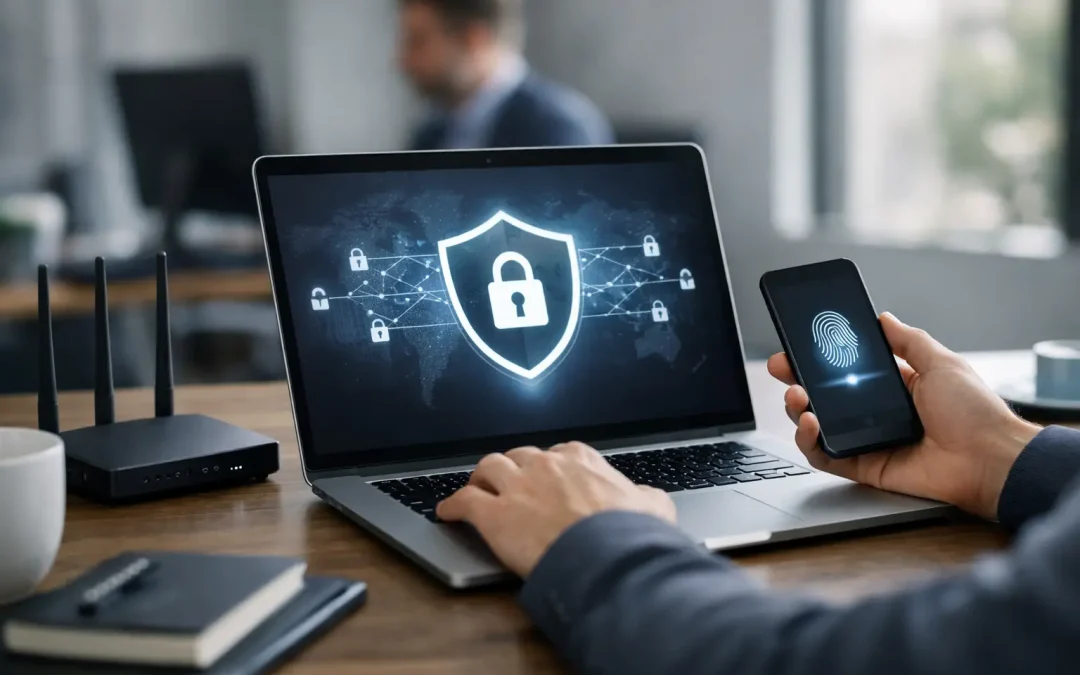
A VPN that simply connects is not the same as a VPN that protects your business. Many small and midsize companies ask how to secure VPN access only after a scare – a phishing email, a stolen laptop, a failed audit, or unusual login activity. By that point, the VPN is no longer just a convenience for remote staff. It is a direct path into file servers, line-of-business applications, cloud systems, and sometimes the entire network.
For businesses that rely on remote work, after-hours access, vendor support, or multiple offices, the right approach is to treat VPN security as part of your overall risk management. The goal is not to make remote access difficult. The goal is to make sure only the right people, on the right devices, under the right conditions, can get in.
How to Secure VPN Access Without Slowing Work Down
The first step is to stop thinking of the VPN as a single setting on a firewall. Secure remote access depends on identity, device security, network design, and ongoing monitoring working together. If one of those pieces is weak, the VPN becomes a larger target.
For most businesses, the biggest improvement comes from tightening access in layers. Start with authentication. If users can log in with only a username and password, the VPN is too exposed. Password reuse is common, and compromised credentials are widely traded. Multi-factor authentication should be standard, not optional. A push notification, authenticator app, or hardware token adds friction for attackers without creating much friction for employees.
The next layer is user access control. Not every employee needs the same level of remote access. A manager who needs access to accounting systems should not have the same permissions as a third-party vendor checking one application. VPN accounts should be limited by role, and permissions should match actual job requirements. This reduces the damage if one account is compromised.
Device trust matters just as much. A secure VPN connection from an unmanaged home computer is still a business risk. If the endpoint has no patching, weak antivirus, or signs of malware, the VPN can carry that risk directly into the network. Ideally, VPN access should be limited to company-managed devices with encryption, endpoint protection, current updates, and basic security controls already in place.
Start With Identity and Authentication
When companies ask how to secure VPN access, identity is usually where the real answer begins. Most VPN breaches are not caused by the VPN protocol itself. They happen because an attacker gets valid login credentials or finds an account that was never disabled.
Every VPN account should be tied to an individual user. Shared logins create confusion, weaken accountability, and complicate incident response. If something suspicious happens, you need to know exactly who connected, when they connected, and what they accessed.
Password policy still matters, but passwords alone are not enough. Stronger password length requirements, password managers, and blocked password reuse help, but multi-factor authentication is the control that changes the risk most quickly. If your VPN platform supports conditional access or risk-based sign-ins, that is even better. For example, you may want to block logins from unexpected countries, require reauthentication for sensitive systems, or deny access when a login looks suspicious.
Account lifecycle management is often overlooked. Employees leave, vendors change, temporary projects end, and old accounts remain active. Those forgotten accounts are a common weak point. VPN access should be reviewed regularly, disabled promptly when no longer needed, and documented clearly enough that someone can verify who still has access.
Secure the Devices Using the VPN
A VPN does not clean an infected laptop. It only gives that laptop a secure tunnel into business systems. That is why endpoint standards should be part of your remote access policy.
At a minimum, devices connecting to the VPN should have supported operating systems, current security patches, active endpoint protection, full-disk encryption, and local firewall settings enabled. Screen lock timers and strong device passwords are basic but still essential. Lost and stolen devices are a real-world problem, especially for companies with mobile staff.
For businesses with compliance obligations, this becomes even more important. Medical practices, CPA firms, legal offices, and municipalities often handle sensitive data that should never be reachable from unmanaged or outdated devices. In those environments, restricting VPN access to approved hardware is not excessive. It is a practical control.
There is a trade-off here. Tighter device requirements may create extra work for onboarding or occasional support calls. But that is usually far less disruptive than a malware event that spreads through a trusted remote session.
Limit What the VPN Can Reach
One of the most common mistakes is giving every VPN user broad internal network access. That may feel simpler to manage, but it creates unnecessary exposure.
Network segmentation is the better approach. Users should only be able to reach the systems they actually need. A remote employee in customer service may need access to a hosted application and a shared file location, not to server management interfaces, backup systems, or security appliances. A vendor may need access to one server over one protocol during a scheduled window, not a standing path into the network.
This is where firewall policy design matters. Good VPN security is not just about the tunnel. It is also about what happens after the tunnel is established. Internal access control lists, VLAN separation, and limited route access can reduce lateral movement if an account is compromised.
Split tunneling is another area where the answer depends on the business. Allowing internet traffic to go out locally while only business traffic uses the VPN can improve performance. But in some environments, it can also weaken visibility and policy enforcement. The right setting depends on your risk profile, your security stack, and whether you manage endpoints properly.
Monitor, Log, and Review VPN Activity
A secure VPN setup is not a set-it-and-forget-it project. Remote access should be monitored like any other critical security control.
That starts with logging. You should be able to see successful and failed login attempts, source locations, connection times, device details when available, and privilege changes. If a user account signs in from Illinois in the morning and another country an hour later, that should trigger review. If repeated failed attempts hit one account, that is worth investigating before it becomes a larger issue.
Log review does not have to be complicated, but it does have to happen. Small businesses often have the tools already built into their firewall, VPN appliance, or cloud identity platform. The problem is that nobody is watching consistently. That is where managed IT support can make a difference. Regular review turns scattered technical data into something actionable.
Software and firmware updates matter here too. VPN appliances, firewalls, and remote access clients need patching on a schedule. Attackers frequently target known vulnerabilities in edge devices because they are directly exposed to the internet. Delaying updates increases risk, especially if the hardware is older or no longer fully supported.
Write Policies That Match the Way People Work
Technology controls are only part of the answer. The other part is setting clear expectations for users.
Employees should know when they are required to use the VPN, what devices are approved, how multi-factor authentication works, and what to do if a phone or laptop is lost. They should also understand that public Wi-Fi, personal devices, and browser-saved passwords create avoidable risk. These are not just IT preferences. They are business continuity issues.
A written remote access policy also helps with compliance and insurance discussions. If your company needs to support a WISP, security questionnaire, or cyber insurance renewal, documented VPN practices show that remote access is managed deliberately rather than informally.
For many organizations, the right answer is not more complexity. It is more consistency. Standardized onboarding, standardized offboarding, standardized device configuration, and standardized review cycles close many of the gaps that attackers count on.
How to Secure VPN Access for a Growing Company
As businesses grow, VPN security usually gets harder before it gets better. More employees, more devices, more software, and more outside partners mean more exceptions. That is when older VPN setups start showing their limits.
If your current setup was built years ago, it may be time to reassess whether the platform, firewall, authentication method, and access policies still fit the way your business operates. A company with ten users and one office can tolerate shortcuts that become risky at fifty users across multiple locations. The same is true for businesses in Lombard and the surrounding Chicago suburbs that need a mix of onsite support, remote access, and stronger documentation for audits or insurance requirements.
The right VPN security plan should fit the size of the company, the sensitivity of the data, and the reality of day-to-day operations. Stronger controls should support the business, not fight it. When remote access is built carefully, your team can work from home, travel, support clients, and reach critical systems without turning the VPN into your biggest exposure.
If you are reviewing your environment, start with one question: if a password were stolen today, how much of your network could that one login reach? That answer usually tells you exactly where to focus next.